Accept Credit Cards
Accept major credit cards, debit cards, EMV chip cards, and contactless payments with modern Clover hardware options.
Credit Card Processing & POS Systems
Modern payment technology for retail, restaurants, professional services, healthcare, education, and growing businesses. EZ Pros Services helps you review processing costs, compare Clover POS options, and build a payment setup that fits how your business actually operates.
Merchant Services Built Around Your Business
Clover gives businesses flexible tools for accepting payments, managing operations, and improving checkout experiences. EZ Pros helps you choose the right setup, understand your pricing, and connect the payment workflow to your business model.
Accept major credit cards, debit cards, EMV chip cards, and contactless payments with modern Clover hardware options.
Support fast checkout with NFC, contactless cards, mobile wallets, and tap-enabled customer experiences.
Track products, organize items, monitor sales activity, and support retail operations with smarter checkout visibility.
Manage employee permissions, checkout access, activity visibility, and operational controls from a more structured POS environment.
Support online ordering and digital payment workflows for restaurants, service providers, and businesses expanding online.
Accept payments without a physical terminal using browser-based payment tools for invoices, phone orders, and remote payments.
Offer gift card programs to increase repeat purchases, improve customer loyalty, and create additional revenue opportunities.
Build customer relationships through loyalty programs, repeat engagement, promotions, and customer retention tools.
Review sales, payments, employee activity, customer activity, and performance data from a more organized reporting environment.
Clover is a registered trademark of Clover Network, LLC. EZ Pros Services LLC is not Clover Network, LLC. Product availability, pricing, processing options, and approvals may vary by business type, underwriting, processor availability, and program eligibility.
Choose the Right Clover Setup
EZ Pros helps match your business model with the right Clover device and payment workflow.
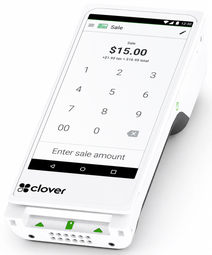
Best for mobile checkout, tableside payments, line-busting, delivery, service businesses, and flexible in-person payments.
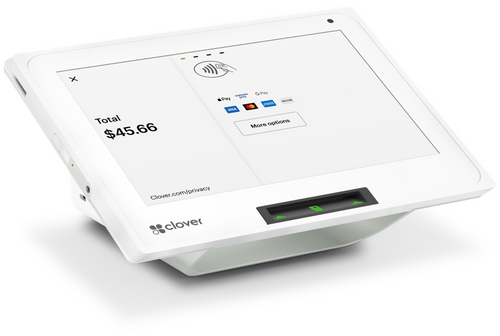
Best for countertop checkout where businesses need compact POS functionality and customer-facing payment acceptance.
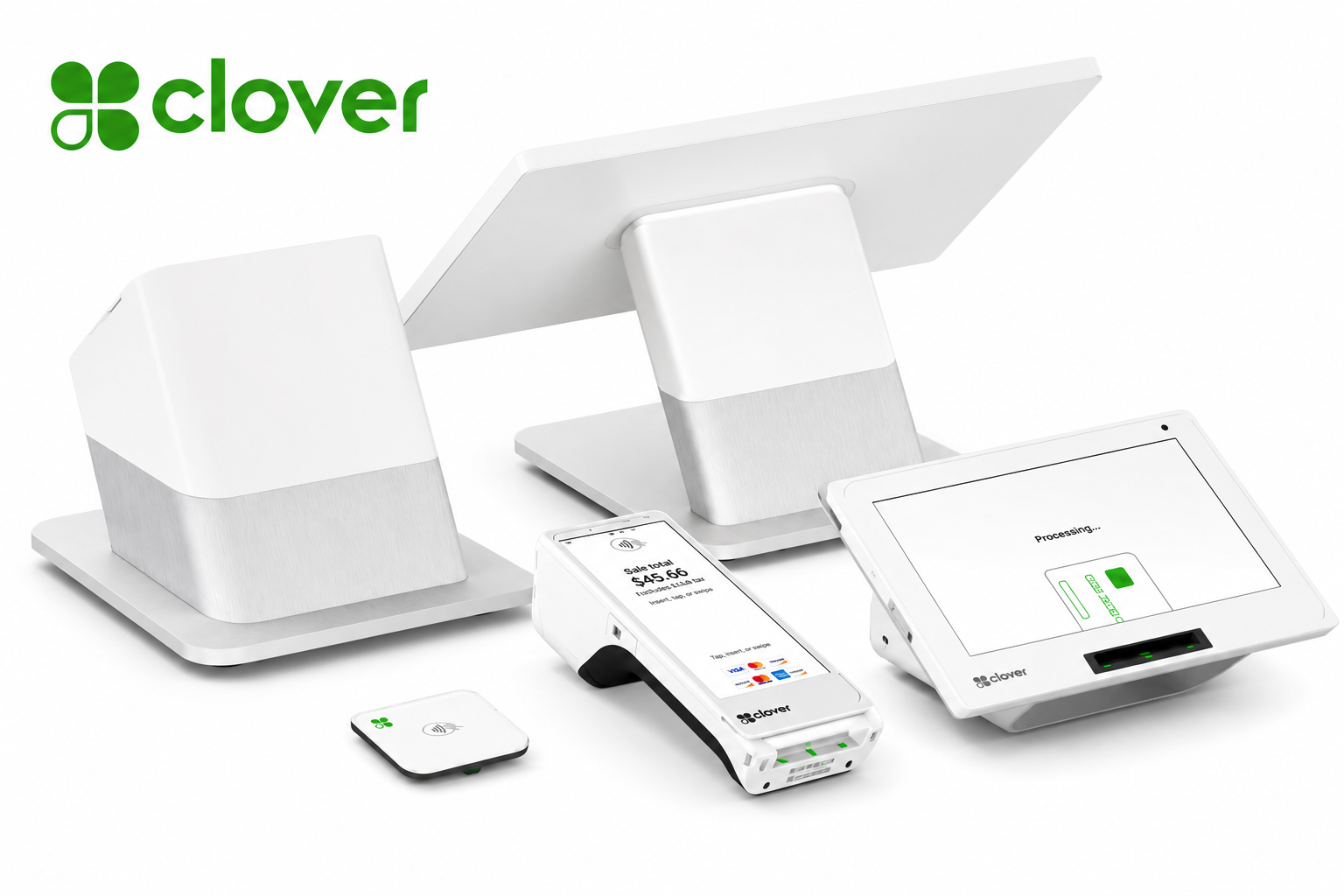
Best for higher-volume retail and restaurant environments that need a larger POS station and customer-facing display.
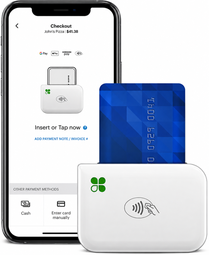
Best for mobile professionals, events, field services, pop-ups, and businesses that need simple card acceptance on the go.

Support online ordering, invoices, virtual terminal payments, payment links, and eCommerce-related workflows.
Get guidance on payment setup, onboarding, account structure, staff training, and operational payment workflows.
Device Comparison
The right device depends on how your team accepts payments, where checkout happens, and how much operational functionality you need.
| Device | Best Fit | Common Use Cases |
|---|---|---|
| Clover Flex | Mobile checkout and tableside payments | Restaurants, service businesses, events, line-busting, delivery |
| Clover Mini | Compact countertop POS | Retail counters, service desks, small restaurants, professional offices |
| Clover Station Duo | Full POS station with customer-facing display | Retail, restaurants, higher-volume checkout, multi-employee environments |
| Clover Go | Simple mobile card acceptance | Mobile professionals, pop-ups, field service, events, contractors |
Why Processing Reviews Matter
Before choosing equipment or switching providers, understand what your current setup is doing, what you are paying, and which options may fit your business.
| Common Problem | EZ Pros Approach |
|---|---|
| Confusing merchant statements | We explain visible fees, pricing structure, and payment cost categories in plain language. |
| Mismatch between equipment and business workflow | We review POS, terminal, gateway, and operational needs before recommending next steps. |
| Unclear pricing options | We discuss available models such as flat rate, interchange-plus, dual pricing, and other eligible options. |
| Limited support after setup | We focus on onboarding, training, follow-up, and long-term relationship support. |
Free Rate Analysis Process
We learn about your business, current provider, payment volume, and needs.
We review visible fees, pricing structure, processor costs, and equipment charges.
We explain possible payment options based on your setup and business goals.
You receive a clear path forward with practical recommendations.
Clover POS & Credit Card Processing FAQ
Yes. Upload a recent merchant statement and EZ Pros will review visible fees, pricing structure, equipment costs, and possible improvement areas.
It depends on your business model, checkout environment, staff workflow, and payment needs. EZ Pros can help compare Clover Flex, Mini, Station Duo, and Clover Go.
No. Savings depend on your current processor, pricing model, volume, business type, underwriting, processor availability, and program eligibility.
Clover-related payment workflows may support online ordering, virtual terminal payments, payment links, invoices, and other digital payment needs depending on setup and eligibility.
Free Clover POS & Processing Review
Schedule a free rate analysis or upload a recent merchant statement for a clearer review of your Clover POS, payment processing, and business payment options.
Credit Card Processing & POS Systems
Modern payment technology for retail, restaurants, professional services, healthcare, education, and growing businesses. EZ Pros Services helps you review processing costs, compare Clover POS options, and build a payment setup that fits how your business actually operates.
Merchant Services Built Around Your Business
Clover gives businesses flexible tools for accepting payments, managing operations, and improving checkout experiences. EZ Pros helps you choose the right setup, understand your pricing, and connect the payment workflow to your business model.
Accept major credit cards, debit cards, EMV chip cards, and contactless payments with modern Clover hardware options.
Support fast checkout with NFC, contactless cards, mobile wallets, and tap-enabled customer experiences.
Track products, organize items, monitor sales activity, and support retail operations with smarter checkout visibility.
Manage employee permissions, checkout access, activity visibility, and operational controls from a more structured POS environment.
Support online ordering and digital payment workflows for restaurants, service providers, and businesses expanding online.
Accept payments without a physical terminal using browser-based payment tools for invoices, phone orders, and remote payments.
Offer gift card programs to increase repeat purchases, improve customer loyalty, and create additional revenue opportunities.
Build customer relationships through loyalty programs, repeat engagement, promotions, and customer retention tools.
Review sales, payments, employee activity, customer activity, and performance data from a more organized reporting environment.
Clover is a registered trademark of Clover Network, LLC. EZ Pros Services LLC is not Clover Network, LLC. Product availability, pricing, processing options, and approvals may vary by business type, underwriting, processor availability, and program eligibility.
Choose the Right Clover Setup
EZ Pros helps match your business model with the right Clover device and payment workflow.
Best for mobile checkout, tableside payments, line-busting, delivery, service businesses, and flexible in-person payments.
Best for countertop checkout where businesses need compact POS functionality and customer-facing payment acceptance.
Best for higher-volume retail and restaurant environments that need a larger POS station and customer-facing display.
Best for mobile professionals, events, field services, pop-ups, and businesses that need simple card acceptance on the go.
Support online ordering, invoices, virtual terminal payments, payment links, and eCommerce-related workflows.
Get guidance on payment setup, onboarding, account structure, staff training, and operational payment workflows.
Device Comparison
The right device depends on how your team accepts payments, where checkout happens, and how much operational functionality you need.
| Device | Best Fit | Common Use Cases |
|---|---|---|
| Clover Flex | Mobile checkout and tableside payments | Restaurants, service businesses, events, line-busting, delivery |
| Clover Mini | Compact countertop POS | Retail counters, service desks, small restaurants, professional offices |
| Clover Station Duo | Full POS station with customer-facing display | Retail, restaurants, higher-volume checkout, multi-employee environments |
| Clover Go | Simple mobile card acceptance | Mobile professionals, pop-ups, field service, events, contractors |
Why Processing Reviews Matter
Before choosing equipment or switching providers, understand what your current setup is doing, what you are paying, and which options may fit your business.
| Common Problem | EZ Pros Approach |
|---|---|
| Confusing merchant statements | We explain visible fees, pricing structure, and payment cost categories in plain language. |
| Mismatch between equipment and business workflow | We review POS, terminal, gateway, and operational needs before recommending next steps. |
| Unclear pricing options | We discuss available models such as flat rate, interchange-plus, dual pricing, and other eligible options. |
| Limited support after setup | We focus on onboarding, training, follow-up, and long-term relationship support. |
Free Rate Analysis Process
We learn about your business, current provider, payment volume, and needs.
We review visible fees, pricing structure, processor costs, and equipment charges.
We explain possible payment options based on your setup and business goals.
You receive a clear path forward with practical recommendations.
Clover POS & Credit Card Processing FAQ
Yes. Upload a recent merchant statement and EZ Pros will review visible fees, pricing structure, equipment costs, and possible improvement areas.
It depends on your business model, checkout environment, staff workflow, and payment needs. EZ Pros can help compare Clover Flex, Mini, Station Duo, and Clover Go.
No. Savings depend on your current processor, pricing model, volume, business type, underwriting, processor availability, and program eligibility.
Clover-related payment workflows may support online ordering, virtual terminal payments, payment links, invoices, and other digital payment needs depending on setup and eligibility.
Free Clover POS & Processing Review
Schedule a free rate analysis or upload a recent merchant statement for a clearer review of your Clover POS, payment processing, and business payment options.