Restaurant POS Systems
Evaluate countertop and full-service POS systems designed for orders, modifiers, menu management, checkout, employee access, and reporting.
Restaurant Payment Solutions
EZ Pros Services helps restaurants evaluate POS systems, credit card processing, tableside payments, online ordering, delivery workflows, tipping, reporting, and payment hardware designed around the way your restaurant operates.
Built Around Restaurant Operations
Your payment system should support speed, accuracy, staff productivity, customer convenience, reporting, and revenue growth—not slow down service.
Evaluate countertop and full-service POS systems designed for orders, modifiers, menu management, checkout, employee access, and reporting.
Allow servers to accept payment at the table, reduce card handling, shorten checkout time, and improve the guest experience.
Support fast ordering and payment workflows for cafés, food counters, takeout restaurants, bakeries, and quick-service environments.
Support tipping workflows, staff reporting, customer prompts, and clearer payment visibility based on system capabilities.
Improve checkout flexibility with split-payment and split-check workflows where supported by the selected POS system.
Connect ordering and payment for pickup, delivery, catering, digital menus, and customer-facing online checkout.
Use mobile terminals for patios, curbside service, food trucks, catering events, delivery, and flexible restaurant checkout.
Encourage repeat visits with customer loyalty, gift-card, promotion, and engagement tools where available.
Review sales, payment activity, refunds, employee activity, revenue trends, and operating performance.
Restaurant Types We Support
EZ Pros helps match payment technology to your service model, order volume, staff workflow, checkout style, and growth plans.
Support tableside payments, tipping, split checks, server access, bar tabs, menu workflows, and guest-facing checkout.
Optimize ordering speed, counter checkout, contactless payments, customer flow, and high-volume transaction processing.
Support tabs, tipping, fast checkout, employee permissions, multiple stations, and busy-night payment workflows.
Support counter service, mobile checkout, customer loyalty, gift cards, inventory conversations, and online ordering.
Accept payments on the go with wireless terminals, mobile card readers, contactless checkout, and cellular options.
Collect deposits, balances, invoices, event payments, mobile transactions, and remote customer payments.
Restaurant Hardware Options
The best restaurant setup may combine countertop POS stations, customer-facing displays, handheld devices, and online payment tools.
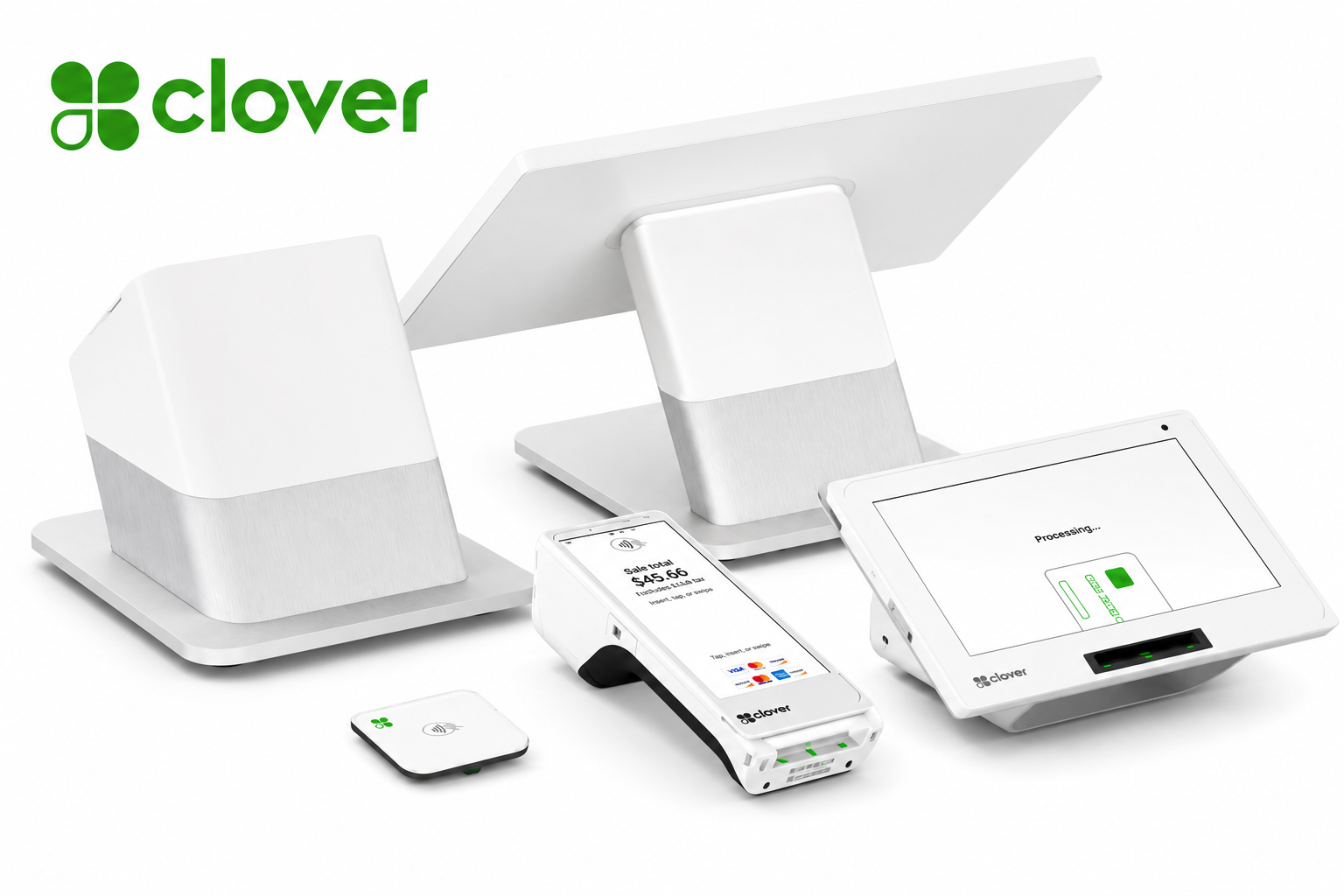
A strong fit for full-service, quick-service, and higher-volume restaurant environments requiring a full POS station and customer display.
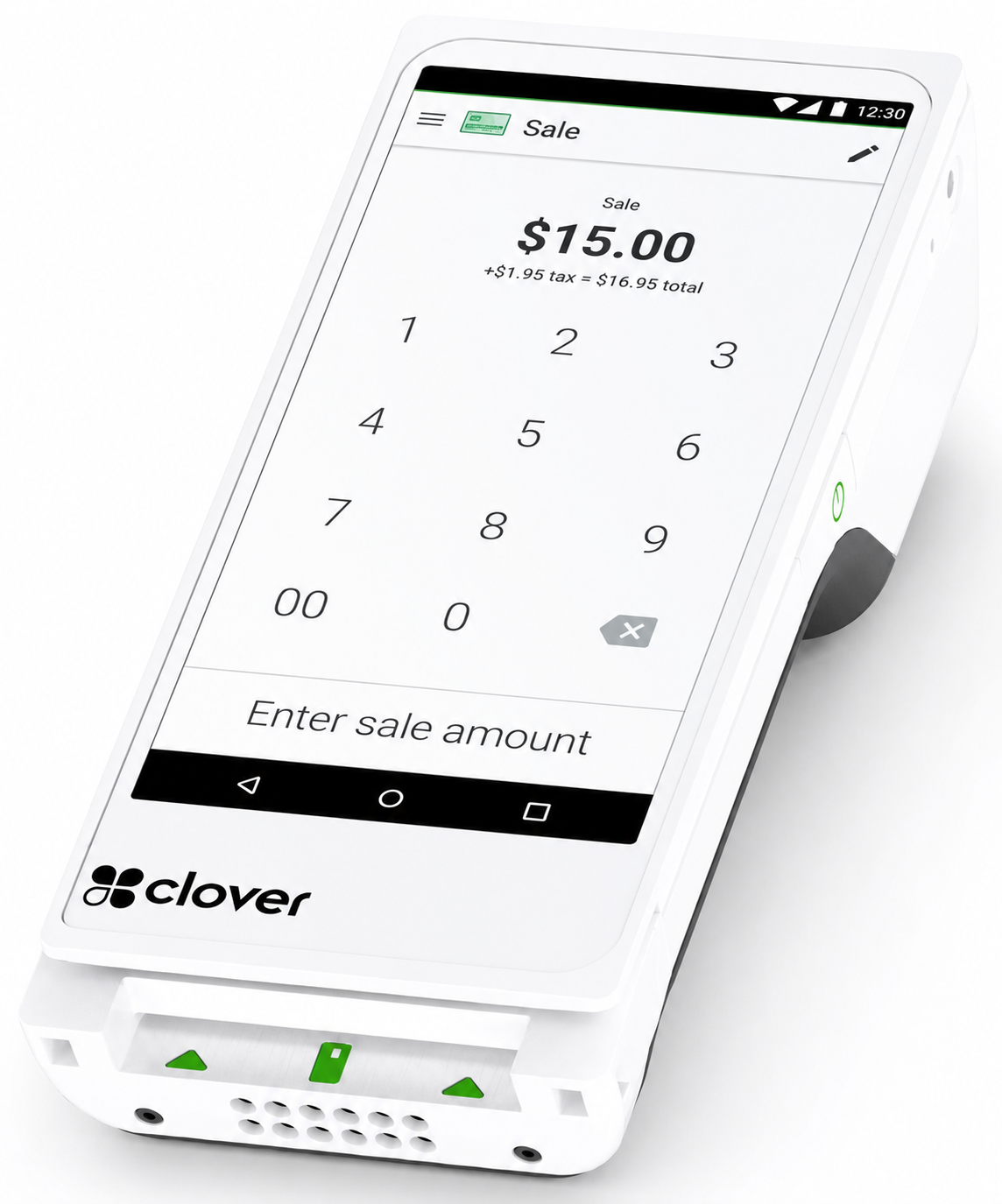
A flexible handheld option for tableside payments, patios, curbside service, delivery, line-busting, and mobile checkout.
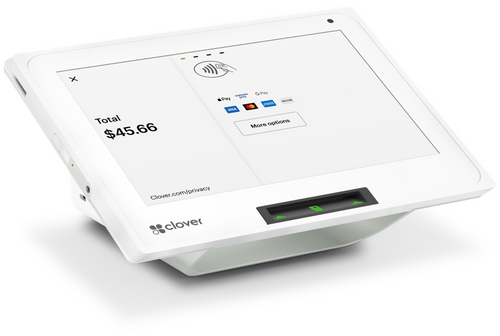
A compact countertop solution for cafés, bakeries, takeout counters, bars, and smaller restaurant environments.
Add digital ordering and payment workflows for pickup, delivery, catering, and customer convenience.
Review sales, employee activity, payment performance, refunds, and operating trends in one reporting environment.
Get help with equipment selection, onboarding, configuration, employee training, payment workflow planning, and follow-up support.
Operational Improvement
Restaurant payment issues can affect wait times, staff productivity, guest satisfaction, reporting, and profitability.
| Common Restaurant Problem | EZ Pros Approach |
|---|---|
| Slow checkout during busy periods | Review terminal placement, handheld options, counter flow, contactless payment, and checkout steps. |
| Long wait for checks and card returns | Evaluate tableside payment workflows that can shorten checkout and reduce unnecessary card handling. |
| Online ordering disconnected from payments | Review ordering, payment, reporting, and fulfillment workflows for a more connected customer experience. |
| Confusing processing statements | Explain visible fees, pricing structure, equipment charges, gateway costs, and potential improvement areas. |
| Limited reporting visibility | Discuss sales reporting, employee activity, payment visibility, multi-location needs, and reconciliation requirements. |
| POS system does not fit service model | Start with restaurant operations, customer flow, staff needs, and growth plans before recommending equipment. |
Restaurant Payment Security
EZ Pros helps restaurants evaluate modern payment workflows with EMV, contactless payments, tokenization, PCI awareness, employee access, and operational controls in mind.
Support chip cards, contactless cards, and mobile-wallet payments through compatible payment hardware.
Use permissions, login controls, reporting, and operating procedures to reduce unnecessary payment access.
Discuss how terminals, POS systems, gateways, networks, and restaurant practices affect payment-security responsibilities.
Restaurant POS Consultation Process
Review your restaurant type, service model, checkout flow, payment volume, current POS, and operational challenges.
Compare equipment, POS functionality, pricing, online ordering, reporting, and staff workflow requirements.
Identify practical payment and POS options aligned with your restaurant operations and growth goals.
Coordinate approved onboarding, equipment setup, training, testing, and payment workflow deployment.
Restaurant Payment FAQ
Yes. EZ Pros can help evaluate POS systems, payment terminals, tableside devices, online ordering, reporting, and restaurant workflows.
Clover-related restaurant solutions may support order entry, tableside payments, tipping, employee management, online ordering, reporting, and other restaurant workflows depending on the selected setup.
Compatible wireless and handheld terminals may support tableside payments, mobile checkout, tipping, and contactless payment acceptance.
Yes. Upload a recent merchant statement for a review of visible processing fees, pricing structure, equipment charges, and gateway costs.
Yes. Wireless terminals and mobile payment options may be appropriate for food trucks, events, catering, delivery, pop-ups, and mobile vendors.
No. Pricing and savings depend on current costs, transaction mix, business type, processing volume, underwriting, equipment, and available programs.
Restaurant POS & Processing Review
Schedule a restaurant POS consultation or upload your merchant statement for a clearer review of your equipment, processing costs, checkout workflow, online ordering, and payment options.
Restaurant Payment Solutions
EZ Pros Services helps restaurants evaluate POS systems, credit card processing, tableside payments, online ordering, delivery workflows, tipping, reporting, and payment hardware designed around the way your restaurant operates.
Built Around Restaurant Operations
Your payment system should support speed, accuracy, staff productivity, customer convenience, reporting, and revenue growth—not slow down service.
Evaluate countertop and full-service POS systems designed for orders, modifiers, menu management, checkout, employee access, and reporting.
Allow servers to accept payment at the table, reduce card handling, shorten checkout time, and improve the guest experience.
Support fast ordering and payment workflows for cafés, food counters, takeout restaurants, bakeries, and quick-service environments.
Support tipping workflows, staff reporting, customer prompts, and clearer payment visibility based on system capabilities.
Improve checkout flexibility with split-payment and split-check workflows where supported by the selected POS system.
Connect ordering and payment for pickup, delivery, catering, digital menus, and customer-facing online checkout.
Use mobile terminals for patios, curbside service, food trucks, catering events, delivery, and flexible restaurant checkout.
Encourage repeat visits with customer loyalty, gift-card, promotion, and engagement tools where available.
Review sales, payment activity, refunds, employee activity, revenue trends, and operating performance.
Restaurant Types We Support
EZ Pros helps match payment technology to your service model, order volume, staff workflow, checkout style, and growth plans.
Support tableside payments, tipping, split checks, server access, bar tabs, menu workflows, and guest-facing checkout.
Optimize ordering speed, counter checkout, contactless payments, customer flow, and high-volume transaction processing.
Support tabs, tipping, fast checkout, employee permissions, multiple stations, and busy-night payment workflows.
Support counter service, mobile checkout, customer loyalty, gift cards, inventory conversations, and online ordering.
Accept payments on the go with wireless terminals, mobile card readers, contactless checkout, and cellular options.
Collect deposits, balances, invoices, event payments, mobile transactions, and remote customer payments.
Restaurant Hardware Options
The best restaurant setup may combine countertop POS stations, customer-facing displays, handheld devices, and online payment tools.
A strong fit for full-service, quick-service, and higher-volume restaurant environments requiring a full POS station and customer display.
A flexible handheld option for tableside payments, patios, curbside service, delivery, line-busting, and mobile checkout.
A compact countertop solution for cafés, bakeries, takeout counters, bars, and smaller restaurant environments.
Add digital ordering and payment workflows for pickup, delivery, catering, and customer convenience.
Review sales, employee activity, payment performance, refunds, and operating trends in one reporting environment.
Get help with equipment selection, onboarding, configuration, employee training, payment workflow planning, and follow-up support.
Operational Improvement
Restaurant payment issues can affect wait times, staff productivity, guest satisfaction, reporting, and profitability.
| Common Restaurant Problem | EZ Pros Approach |
|---|---|
| Slow checkout during busy periods | Review terminal placement, handheld options, counter flow, contactless payment, and checkout steps. |
| Long wait for checks and card returns | Evaluate tableside payment workflows that can shorten checkout and reduce unnecessary card handling. |
| Online ordering disconnected from payments | Review ordering, payment, reporting, and fulfillment workflows for a more connected customer experience. |
| Confusing processing statements | Explain visible fees, pricing structure, equipment charges, gateway costs, and potential improvement areas. |
| Limited reporting visibility | Discuss sales reporting, employee activity, payment visibility, multi-location needs, and reconciliation requirements. |
| POS system does not fit service model | Start with restaurant operations, customer flow, staff needs, and growth plans before recommending equipment. |
Restaurant Payment Security
EZ Pros helps restaurants evaluate modern payment workflows with EMV, contactless payments, tokenization, PCI awareness, employee access, and operational controls in mind.
Support chip cards, contactless cards, and mobile-wallet payments through compatible payment hardware.
Use permissions, login controls, reporting, and operating procedures to reduce unnecessary payment access.
Discuss how terminals, POS systems, gateways, networks, and restaurant practices affect payment-security responsibilities.
Restaurant POS Consultation Process
Review your restaurant type, service model, checkout flow, payment volume, current POS, and operational challenges.
Compare equipment, POS functionality, pricing, online ordering, reporting, and staff workflow requirements.
Identify practical payment and POS options aligned with your restaurant operations and growth goals.
Coordinate approved onboarding, equipment setup, training, testing, and payment workflow deployment.
Restaurant Payment FAQ
Yes. EZ Pros can help evaluate POS systems, payment terminals, tableside devices, online ordering, reporting, and restaurant workflows.
Clover-related restaurant solutions may support order entry, tableside payments, tipping, employee management, online ordering, reporting, and other restaurant workflows depending on the selected setup.
Compatible wireless and handheld terminals may support tableside payments, mobile checkout, tipping, and contactless payment acceptance.
Yes. Upload a recent merchant statement for a review of visible processing fees, pricing structure, equipment charges, and gateway costs.
Yes. Wireless terminals and mobile payment options may be appropriate for food trucks, events, catering, delivery, pop-ups, and mobile vendors.
No. Pricing and savings depend on current costs, transaction mix, business type, processing volume, underwriting, equipment, and available programs.
Restaurant POS & Processing Review
Schedule a restaurant POS consultation or upload your merchant statement for a clearer review of your equipment, processing costs, checkout workflow, online ordering, and payment options.